Shannon McCelvey Page

Instructional Design
These are resources that I have cultivated over the last seven years or so which are personal to me and do not have copyrights attached. Many of them were made when I was working in the HISD All-U Virtual School which has since been turned into HISD K-12. When working with the online school, I utilized Docebo to begin with and most of the modules were written with Articulate Storyline. Soon after, as this was at the start of online learning, we learned that Moodle was more accessible and affordable, so we used Moodle coupled with SCORM packages from Storyline.
Articulate has become much more accessible since I began with it in 2014 and I look forward to using it for modules that are created in Canvas at my current organization. If I had to pick a favorite LMS, I still feel great loyalty to Moodle as it is such a valuable open source platform.
01
Interactive Creation
For storyboarding my 'go to tool' is Adobe XD. Typically, I get my basic design and sequence for a module going and then I switch into Storyline or, if needed, a presentation software like Google Slides or Powerpoint. Ultimately, the SCORM package or the published presentation is incorporated into Moodle or the preferred LMS.

02
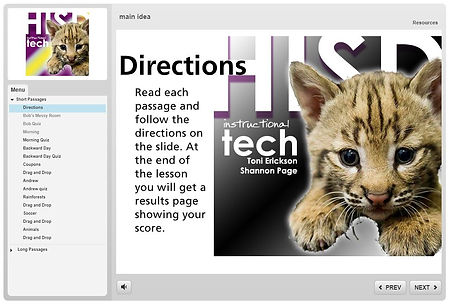
Main Idea for First and Second Grade
Teachers requested an interactive lesson that they could also open on their iPads. The lesson is comprised of both long and short passages followed by a drag and drop interaction to check for understanding. I wanted to include this in the portfolio to show that interactivity can work for any age.
03
Kindergarten Computer Lab Lesson
The computer lab lesson for Kindergarten was written to teach students about what the basic parts of the computer do. Because most of the elementary students couldn't read fluently yet, I recorded all of the audio. Students would listen to the entire message before moving to the slide that followed. At the end, I incorportated click and show quizzes for feedback.


04
Train the Trainer Session | Region 7
SMEs requested a graphics design slide deck that they could implement with Fine Arts professionals. This is a deck accessible for all participants which instructs ways to implement (and not implement) Graphic Design in their courses.
05
Getting Started with InDesign Using Google Sites
This is a Google Site that I created to help students and teachers learn how to use InDesign quickly. I built this when I was presenting a Region 7 Workshop which trained trainers on using Graphic Design with Fine Arts - this particular presentation is branded with my online TPT store, Very 3, for visual consistency.
